Saudi voiceover: what to approve before the client handoff
A practical approval sheet for Saudi creators and agencies: lock the spoken script, voice, offer conditions and destination, then hand over the matching audio and video.
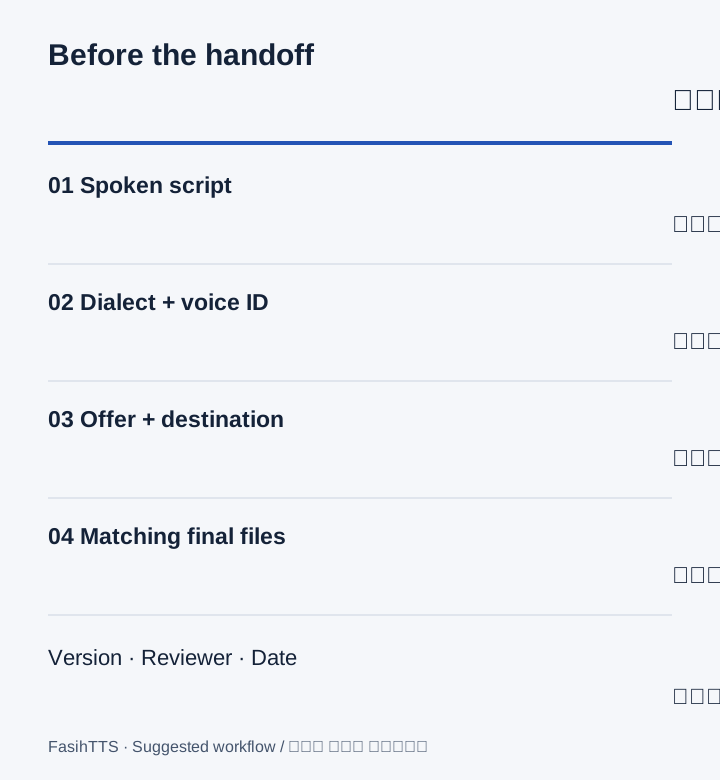
Make the approval request specific
A message saying ‘the voice sounds good’ does not confirm that the price, wording or link is correct. Give the reviewer a short sheet with the exact script and the decisions below. Keep unresolved items visible; do not treat silence as approval.
- Audience and placement: who will hear this, and on which product page or video? For a broader Arab audience, consider an MSA version rather than assuming a Saudi dialect suits everyone.
- Spoken text: approve what the voice should say separately from captions, pronunciation notes and editor instructions.
- Voice choice: record the dialect and voice ID, not just ‘Saudi male’. Name the person who can approve the wording and the person who can approve the finished edit.
- Offer and destination: verify included items, availability, price, currency and any conditions against the actual offer. Open the intended viewer link before approval.
A worked brief: a workshop booking video
This fictional brief is for a Saudi studio advertising an introductory pottery workshop. The agency needs approval from the workshop organiser before sending viewers to the booking page. It is an original writing example, not a customer campaign, recorded sample or performance claim. The Arabic lines use conversational Saudi wording; have a reviewer familiar with your intended audience check them.
When the client adds a price or delivery promise
Ask for the exact approved condition before recording. If the brief says ‘free delivery’, clarify the covered area, minimum order and any expiry. If a necessary condition makes the line too long, revise the message or extend the scene; do not remove the condition just to fit the edit.
- For a price, keep both the official written amount and the approved spoken wording in the sheet. Listen for the amount and currency in the result.
- For a late change, mark the affected script version and sentences. Ask whether the on-screen text and landing page also need updating before requesting another take.
Audition the voice before approving the full recording
These existing public recordings use Omar and Layla in Saudi Najdi with the same product-story script. They do not read the workshop example above. Any price or offer in a recording belongs to its sample script and must not be copied as your offer. Playback creates no new speech and is not a service-availability test.
حيّاك الله! اكتشف مجموعتنا الجديدة، واختَر الهدية اللي تناسبك. السعر ٩٩ ريال، والتوصيل متاح إلى الرياض وجدة.
Try this voice with your textحيّاك الله! اكتشف مجموعتنا الجديدة، واختَر الهدية اللي تناسبك. السعر ٩٩ ريال، والتوصيل متاح إلى الرياض وجدة.
Try this voice with your textApprove the edit and hand over matching files
Review the successful recording inside the actual video, including music and captions. Check on a phone speaker as well as headphones. A correct isolated recording can still be hard to understand in the final mix. FasihTTS does not promise frame-exact timing; align the audio in your editor.
- Give the approved text, audio and video the same version stem, for example workshop-v03-script, workshop-v03-audio and workshop-v03-video. Store the actual voice ID and dialect alongside them.
- Record the reviewer, approval date and any remaining restriction in your project notes. Deliver the actual downloaded file rather than relying on a temporary download link.
- For a later correction, keep the old approved version and create a new version. Recheck the join if replacing one sentence; if the voice or dialect changes, review the whole affected recording for consistency.
Choose production access after the test
Free previews are for evaluation and non-commercial testing. For client production, review the current paid options and Terms, including rights to your submitted material and permitted use. The one-time Project Pack and paid subscriptions include commercial usage rights subject to those conditions. A new successful take uses speech allowance even if you later discard it; include agreed revisions in your estimate.