Darija voiceover for a French interface: make each click easy to follow
Write a Moroccan Darija software walkthrough that keeps French button labels recognizable. A three-step example, voice references and a practical recording checklist.
Write for the person following the screen
A Moroccan customer may prefer spoken Darija while using software whose menus are in French. Translating every button into Arabic can make a clear sentence harder to follow: the viewer hears one name but searches for another. The useful deliverable is an instruction they can match to the interface, not a word-for-word translation.
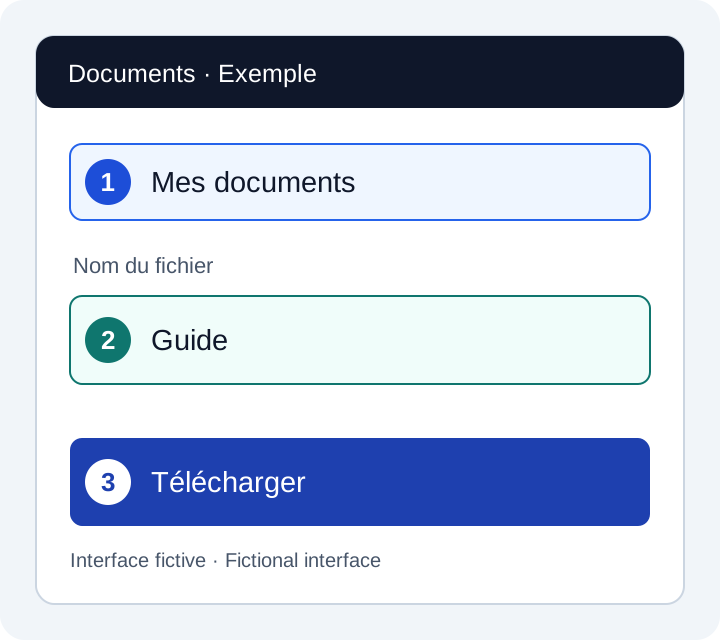
Use this approach for a short onboarding or support video. Confirm the actual screen first, including its language and layout. The example below is an invented document portal, not a FasihTTS screen or a customer result. Replace its labels with those in the software you are explaining.
Keep three columns in the recording brief
For each step, record the visible label, the line to be spoken and the screen action. Put editor notes outside the speech field so they are not read aloud. Keep passwords, names and real documents out of your demonstration recording.
If the French label sounds unclear, rewrite the cue
Keep the visible spelling in the brief even if you try a phonetic spelling in the speech text. A phonetic rewrite is a test, not a guarantee of the intended pronunciation. Listen with someone who understands both the interface language and your audience’s Darija before approving it.
You can also avoid speaking the French word. For the third step, try «دابا ضغط على زر التحميل باش تحمّل الملف.» This means “Now click the download button to download the file.” Keep Télécharger visible and clearly highlighted at that moment. The viewer should not have to infer which of several buttons you mean.
Avoid relying only on “the blue button on the right.” Color and position may change across themes, window sizes or later releases. Name the action, keep the matching control visible and review the actual layout used in the recording.
Listen to a voice reference, then test your actual line
These existing recordings let you hear Hala and Omar in Moroccan Darija. They are voice references with their original transcripts, not recordings of the French-interface instructions above. A voice that suits an advert may need a calmer delivery for a tutorial, and a clear Darija sample does not prove that every French label will be pronounced correctly.
بغيتي هدية زوينة لشي حد عزيز عليك؟ اكتاشف مجموعتنا الجديدة، واختار اللي عجبك. التوصيل متوفر لجميع المدن.
Try this voice with your textكتقلب على شي حاجة زوينة لدارك؟ دوز عندنا للمحل، تفرج وخذ راحتك فالاختيار. وإلا بغيتي تسول على شي حاجة، حنا هنا باش نعاونوك. مرحبا بيك عندنا!
Try this voice with your textMatch the edit to the approved recording
- Show the starting screen before the first instruction. Do not cut directly to a completed action that the viewer has not seen.
- Leave enough time to find the control and see the result. Use the actual audio length, not an assumed number of seconds per line.
- If a loading step varies, remove unnecessary waiting in the edit without implying that the product always responds instantly.
- Check the exported video at its expected viewing size. Interface labels must remain readable; a full desktop screenshot can be too small on a phone.
- Let someone follow the finished video with the narration on, then review the captions with the sound off. Revise any step that depends on guessing.
Choose a plan after the short test works
A useful first result is one instruction that your viewer can follow without help. Once that works, estimate the speech needed for the complete tutorial and likely revisions. Reuse an approved recording when the words and action are unchanged; budget for a new take when the interface or script changes.
Free custom samples are for evaluation and non-commercial testing. For a published client tutorial, generate the production audio under a paid Project Pack or subscription and make sure you hold the necessary rights to the submitted material. The commercial-use terms still apply when you reuse a recording.
Check the current plans for the allowance and features you need. Compare a one-time Project Pack with a monthly subscription according to your production schedule; a pack is a one-time purchase, not a recurring subscription. No plan removes the need to review the final pronunciation and screen sequence.